QR Protector

In development

Check the code before you trust it

AndroidiOS2026

Coming soon to Android and iOS.

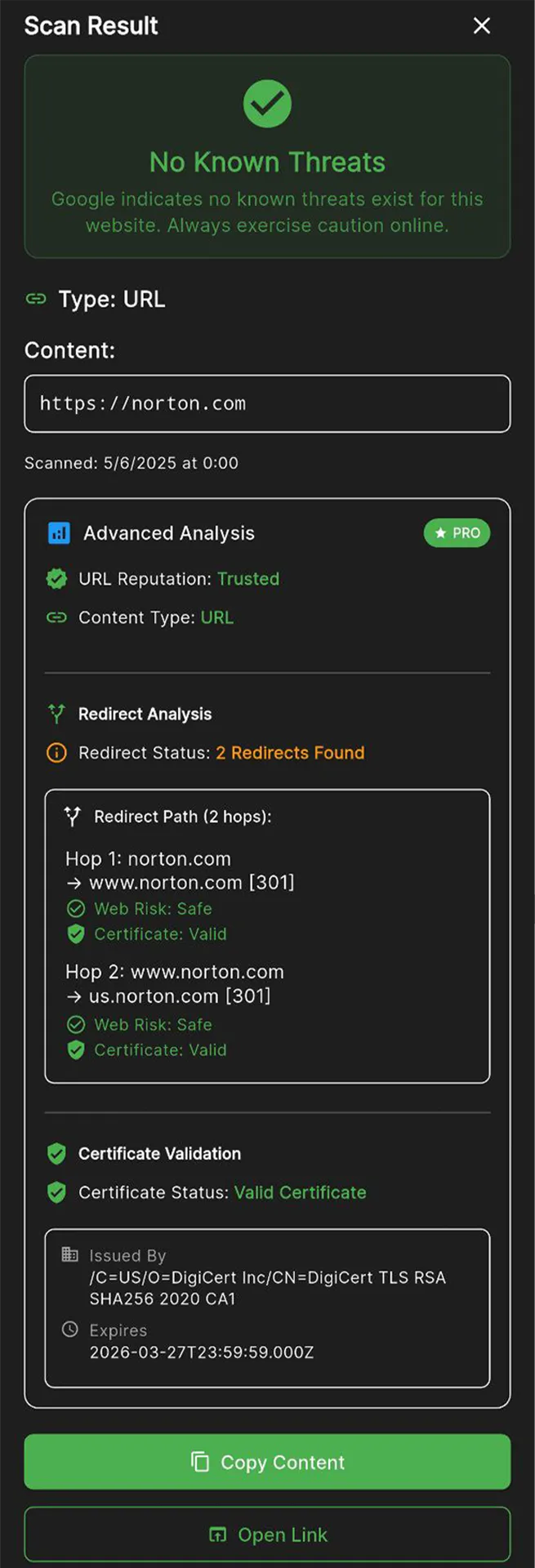
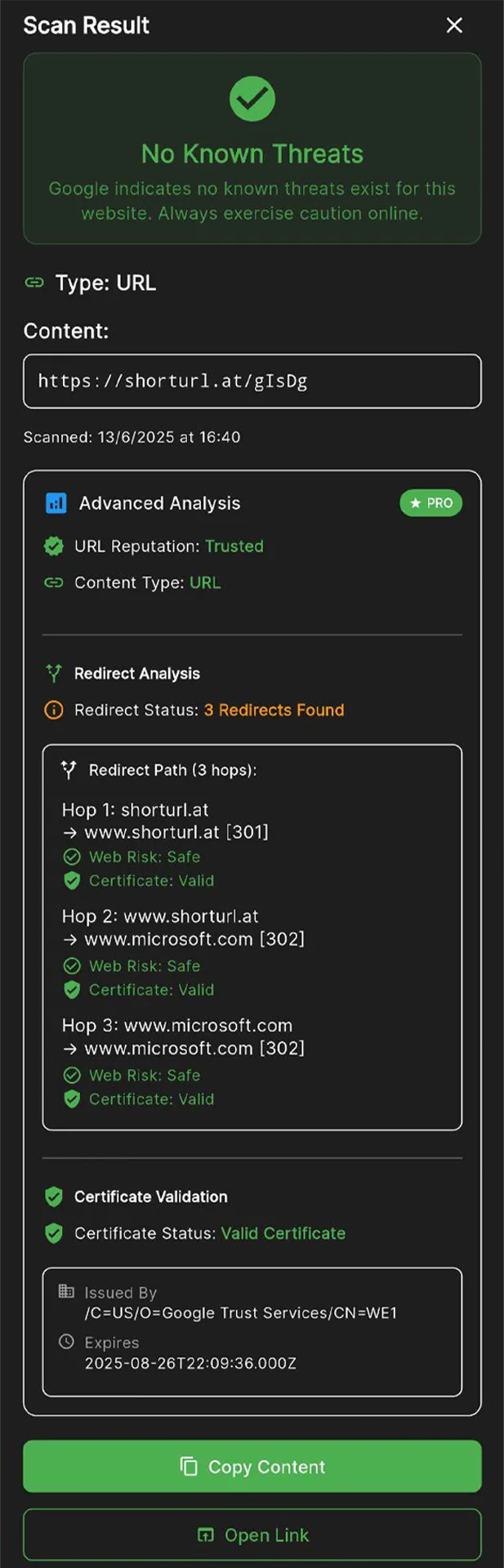
A completed QR Protector scan showing a verdict and the reasons behind it

A QR code is a URL you cannot read. QR Protector resolves it the way your phone would, inspects where it actually lands, and gives you one plain-English verdict — before you ever open the link.

The problem

You cannot read a QR code

Every other link on your phone shows you where it goes. A QR code shows you a square. By the time it has resolved you are already on the page, and if that page is a convincing login form the decision has been made for you.

Worse, the destination can change after the sticker is printed, and it can serve you something different from what it serves a security scanner. A short link that looks clean from a data centre can land somewhere else entirely when it thinks it is talking to a phone.

The attack is not the code. The attack is everything that happens between the code and the page.

How it works

The pipeline, step by step

Every scan runs the same pipeline. The expensive AI stage only ever corroborates what the deterministic checks already found — it is never allowed to invent a risk on its own.

  1. 01

    Decode, without double-firing

    Camera or gallery. The scanner guards against the same code being processed twice while a scan is already in flight — an unglamorous fix that is documented as the first critical one in the architecture notes.

    scanner_screen.dart
  2. 02

    Walk the redirect chain

    Up to ten hops, following each one manually rather than letting the HTTP client do it, and recording the source, destination and status of every hop. The app renders the whole chain rather than just the endpoint.

    redirectResolver.js
  3. 03

    Resolve it three times, as three devices

    The same URL is resolved in parallel under desktop, iPhone and iPad user-agents. If the registrable domains disagree, the destination is cloaking — showing one thing to scanners and another to phones. A device that dead-ends is recorded as exactly that, never quietly rounded up to 'consistent'.

    domainDiverged / deadEndDevice
  4. 04

    Reputation on every hop, not just the last

    Google Web Risk runs against the final URL and each intermediate hop in parallel. A lookup that fails is recorded as unverified — it is never coerced into a pass.

  5. 05

    Check the certificate that actually served it

    Issuer, common name, hostname and SAN match, and chain trust for the final hop — the one you would actually have landed on.

    certClient.js
  6. 06

    Read the destination's intent

    Password fields, payment fields, meta-refresh targets, off-site link domains, and Android package download intent. Most importantly: the registrable domain that each form actually submits to, which is the thing a screenshot can never tell you.

    contentIntent.js
  7. 07

    Correlate brand without a logo database

    A login form on one domain posting credentials to an unrelated one is a strong mismatch. A certificate for a different registrable domain is a weak one. Payment processors and identity providers are allow-listed, because legitimately posting off-site is exactly what they do.

    brandCorrelation.js
  8. 08

    Interrogate the domain itself

    Punycode and mixed-script homographs, raw-IP hosts, shorteners, and around twenty reputation-laundering hosts where anyone can get a subdomain on a trusted parent. Domain age is fetched over RDAP and cached — and only when a form is present, because that is the only time it changes the answer.

    domainIntel.js
  9. 09

    Look at it, if you're entitled to

    For premium accounts: real screenshots at three viewports, text and logo detection, then a Gemini pass with the screenshots attached. Its system prompt casts it explicitly as a corroborating voice — deterministic checks run alongside it, and it is told not to invent risk.

    "a CORROBORATING voice"
  10. 10

    Gate the verdict on corroboration

    Dangerous requires more than one thing agreeing: an app download from a non-store domain, or a brand mismatch together with a credential form, or device divergence together with a form. A clean shortener that lands on a valid, reputable domain is not flagged — because crying wolf is how a security app teaches people to ignore it.

    deriveBackendStatus()
  11. 11

    Show your working

    The explainer returns the final status, the named branch that decided it, every input and every gate boolean. It was built to diagnose false positives rather than merely to ship verdicts.

    RiskGatingPolicy.explain()

Why it works this way

10

Redirect hops

each one resolved, badged and shown to you

3

Devices at once

desktop, iPhone and iPad — because a link can serve each of them something different

~20

Laundering hosts

trusted parent domains anyone can get a free subdomain on

Honest by design

A scanner that won't cry wolf

Plenty of security tools flag everything faintly unusual and call it vigilance. That just teaches you to ignore them. QR Protector only says dangerous when more than one independent check agrees — and when it isn't sure, it tells you that instead of picking a side.

  • Dangerous needs corroboration — never a single weak signal
  • A failed reputation lookup reads as unverified — never as safe
  • The AI can support a finding — never originate one
  • Every verdict can show its working — never just a colour

Couldn't verify this one

The reputation lookup didn't come back. That isn't the same as clean, so we're not going to tell you it is.

Unverified — not a pass

Illustrative

Everything inside

A whole world in one app

The redirect chain, hop by hop

The whole journey, not just the destination — with per-hop reputation and certificate badges, so you can see exactly where a link stopped being trustworthy.

Every hop shown with its own reputation and certificate — never just the endpoint.

The redirect chain view, showing each hop with its own status badges

The verdict explainer

Every verdict can show the branch that decided it, every input it used, and every gate boolean. Built to diagnose its own false positives.

  • A security tool that cannot explain itself is asking for trust it has not earned.

Shows the branch that decided it — never just a colour.

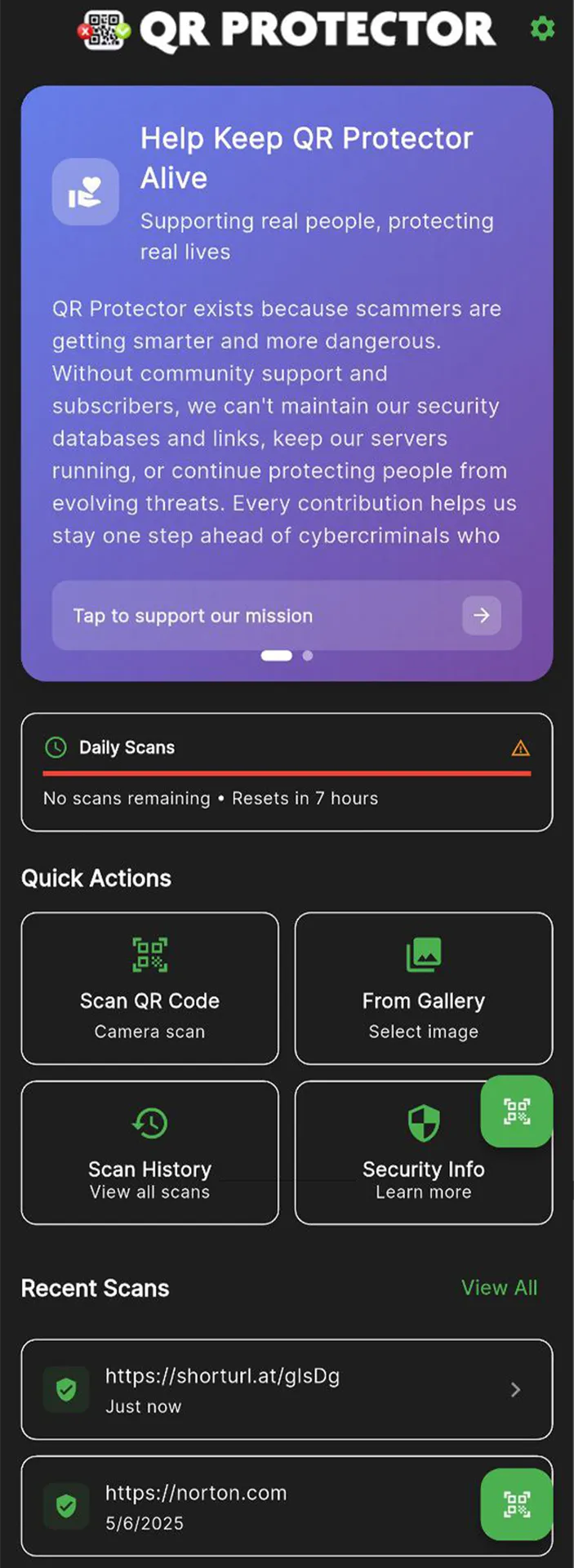
The QR Protector home and scan screen

Everything inside

The rest of it

Cloaking detection

Resolves the same URL as a desktop, an iPhone and an iPad at the same time. Destinations that differ by device are the clearest signal there is that something is hiding.

More detail +

Compares registrable domains rather than full URLs, so ordinary per-device paths don't produce false alarms.

A device that dead-ends is recorded as a dead end, not as agreement.

A device that dead-ends is recorded as a dead end — never as agreement.

Content intent

Reads the destination's HTML for password fields, payment fields and app-download intent — and for the domain each form actually posts to.

More detail +

Where a form submits is the single most useful signal on a phishing page, and it is invisible in a screenshot.

Reads where the form actually posts — never just how the page looks.

Domain intelligence

Punycode and mixed-script look-alikes, raw-IP hosts, shorteners, and the trusted parent domains that anyone can get a free subdomain on.

Certificate validation

Issuer, common name, hostname and SAN match, and chain trust — checked on the hop you would actually have landed on.

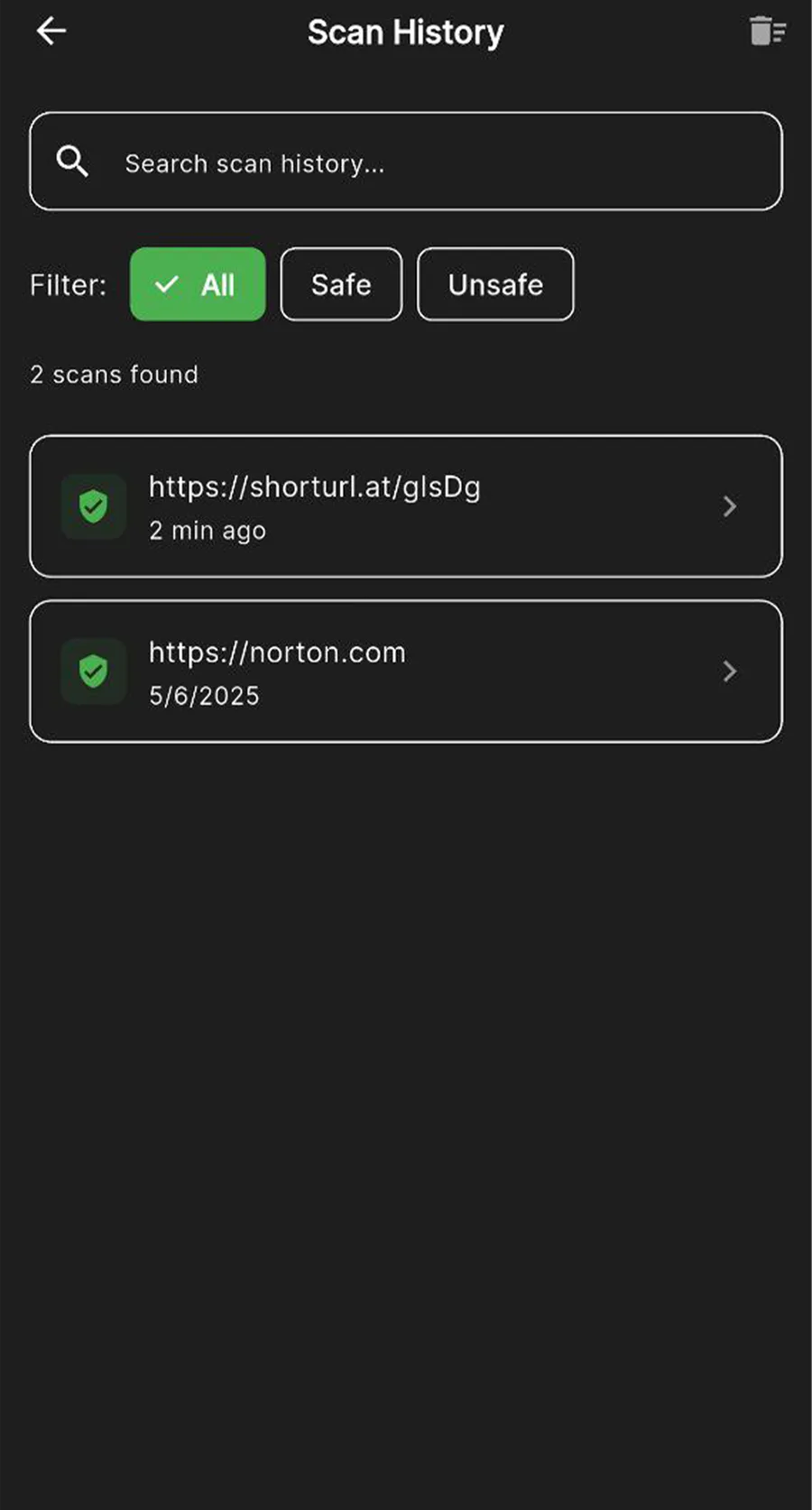
Scan history

Local, searchable and filterable, stored on the device rather than in an account.

History stays on your device — never in an account.

Security Hub

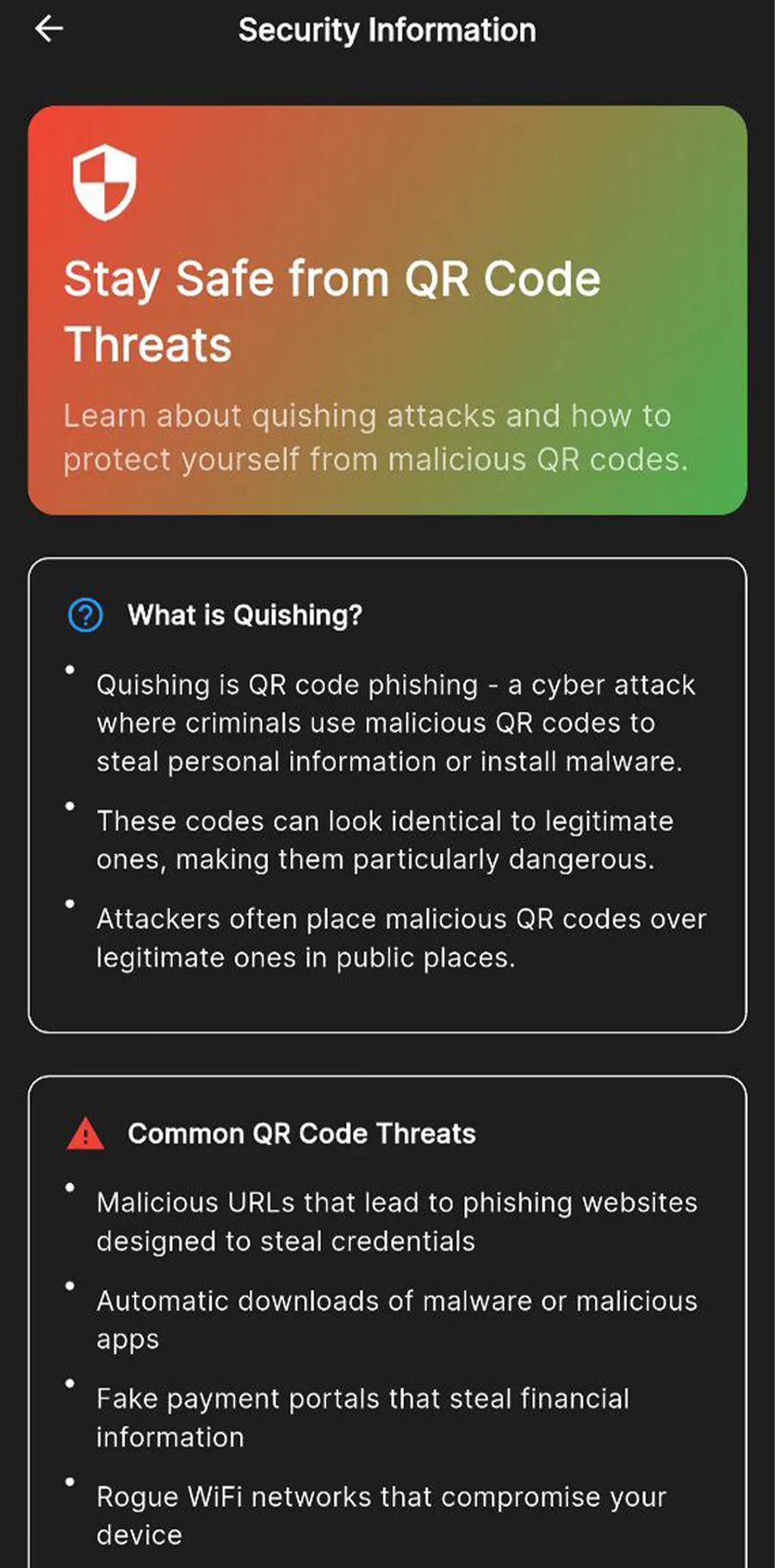
A ninety-question quiz on QR scams with scoring and attempt history, plus collapsible reference cards on how the attacks actually work.

Inspector D

A standalone command-line companion that scans Markdown and text for leaked secrets, prompt injection, dangerous commands and disguised links.

More detail +

Human, JSON and SARIF output, so it drops into a CI pipeline.

An optional visual mode renders the document and looks for hidden or deceptive text.

Scan from camera or gallery

Live scanning, or check a code someone has sent you as an image before you act on it.

Architecture

How it's put together

A Flutter client that holds no secrets, a Node backend on Cloud Run that holds all of them and does the analysis, and server-side entitlements so the expensive pipeline cannot be unlocked from the client.

App

Flutter, Android + iOS
Flutter / Dart
Scanning, result rendering, local history
mobile_scanner
Camera and gallery decoding
SQLite
Scan history, stored locally rather than in an account

Backend

Node / Express on Cloud Run
redirectResolver
Manual hop-by-hop resolution under three device profiles
contentIntent
Destination HTML parsing, including form action domains
brandCorrelation
Form-target and certificate mismatch scoring
domainIntel
Homographs, shorteners, laundering hosts, RDAP age
certClient
Final-hop TLS validation

Data

Firebase Auth
Google and email sign-in; ID token on every backend call
Firestore
Entitlements, usage quota, and a device registry with a per-account cap

Third party

Google Web Risk
Reputation on the final URL and every hop
Google Vision
Text, logo and web-entity detection on captured screenshots
Vertex AI Gemini
Corroborating visual analysis, premium only

Background

The story

QR Protector exists because a QR code is the only link on your phone you are asked to trust completely blind. The whole product is an attempt to give you back the two seconds of judgement that every other link affords you.

The architecture follows from one decision: the app holds no secrets. Every API key lives behind a Node backend on Cloud Run, and the client authenticates with a Firebase ID token and asks the backend to do the work. That also made the security posture testable, because there is exactly one place where the expensive, abusable operations happen.

The analysis itself is deliberately boring before it is clever. Seven deterministic checks run first — redirect resolution, per-device comparison, reputation, certificates, content intent, brand correlation, domain intelligence — and only then, and only for entitled accounts, does anything AI-shaped happen. Even then the model is prompted as a corroborating voice and is structurally prevented from originating a verdict on its own.

The part worth arguing about is the gate. It would be easy to flag everything faintly suspicious and look vigilant. Instead 'dangerous' requires corroboration from more than one independent signal, and a clean shortener landing on a reputable domain passes. A security app that cries wolf is training its users to ignore it, which is a worse outcome than not existing.

Next

Dogoos

Know how they feel